







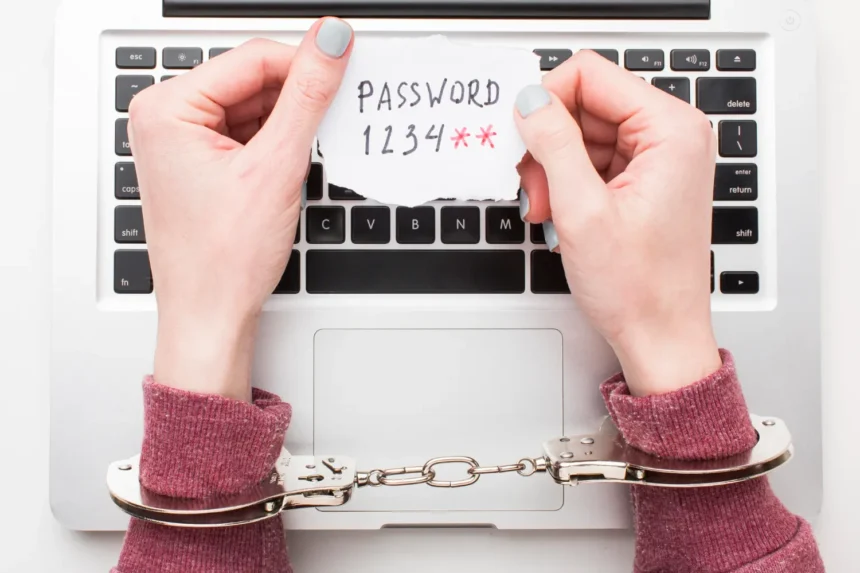
Most people imagine a compromised password will announce itself dramatically: their account suddenly locks them out, money disappears, or a hacker starts sending messages to everyone they know.
- Your Device May Already Be Checking Your Passwords
- “Compromised” Doesn’t Necessarily Mean Someone Logged Into Your Account
- Password Reuse Turns One Breach Into Several
- Unexpected Login Alerts Are Another Warning
- Watch for Password Reset Messages You Didn’t Request
- Your Account Can Reveal That Something Is Wrong
- Your Email Password Deserves Special Attention
- What Should You Do When a Password Is Compromised?
- Don’t “Improve” a Leaked Password
- What If the Compromised Password Is Old?
- A Compromised Password Doesn’t Mean You Need to Change Every Password
- Make the Next Breach Less Important
Often, nothing happens at first.
A password can circulate in stolen credential databases for weeks, months, or even years before somebody successfully uses it. Attackers can also automatically test leaked username-and-password combinations against other websites.
That makes detecting compromised credentials before an account takeover far more useful than waiting for obvious damage.
Your Device May Already Be Checking Your Passwords
One of the easiest ways to discover a compromised password in 2026 is built into technology you may already use.
Google Password Manager can check saved credentials and identify passwords that have appeared in known breaches. Its Password Checkup also identifies weak and reused passwords.
Apple provides similar functionality through its Passwords app. It can warn users when a saved password appears in known data leaks, as well as identify reused or easily guessed credentials.
Microsoft Edge includes Password Monitor, which checks saved credentials against databases of known leaked credentials and alerts users when matches are found.
These aren’t obscure cybersecurity tools intended for professionals.
They’re mainstream features available to ordinary users.



If your browser, phone, or password manager displays a compromised password warning, take it seriously.
“Compromised” Doesn’t Necessarily Mean Someone Logged Into Your Account
This distinction causes unnecessary confusion.
Suppose Google Password Manager tells you a password has been compromised.
That doesn’t necessarily mean someone successfully accessed your account yesterday.
It usually means the credential has appeared in known leaked data and should therefore no longer be considered secret.
The original breach could even have happened years ago.
But once a password is known to attackers, its age doesn’t make it safe again.
Change it.


Password Reuse Turns One Breach Into Several
This is where a relatively minor data breach can become a much larger personal security problem.
Imagine you used:
SummerCoffee2024!
for an old shopping website.
You also used it for your email.
And your streaming account.
And an online store.
The shopping website suffers a breach and your credentials are exposed.
Attackers don’t necessarily stop with that website. Automated credential-stuffing attacks can try stolen username-and-password combinations against other services.
If you reused the credentials, one company’s breach can potentially unlock several unrelated accounts.
This is why a password warning should trigger a second question:
Where else did I use this password?
Every reused copy needs to be changed.
Unexpected Login Alerts Are Another Warning
Many major online services notify users when accounts are accessed from unfamiliar devices or locations.
Don’t automatically dismiss these messages.
If you receive an alert saying your account was accessed from a device you don’t recognize, investigate through the service itself.
Avoid clicking a suspicious email’s “Secure Account” button simply because the message frightened you. Phishing emails frequently imitate security alerts.
Instead, independently open the legitimate app or website and inspect your account’s security or login activity.
If the unfamiliar session is real, sign it out and secure the account.
Watch for Password Reset Messages You Didn’t Request
An unexpected password-reset email doesn’t automatically mean your password has been stolen.
Someone may simply have entered your email address into a password-recovery form.
But repeated reset requests—especially when combined with login alerts, authentication prompts, or other unusual activity—deserve attention.
Never send someone a verification code because they claim it was “accidentally sent to your phone.”
Those codes exist specifically to prove possession of your device or account.
Your Account Can Reveal That Something Is Wrong
Sometimes the first evidence isn’t a security warning.
It’s something inside the account.
You might notice emails marked as read that you never opened. Messages may appear in your Sent folder that you didn’t write. Your profile information could change. New forwarding rules might appear in email settings. Purchases may show up that you don’t recognize.
More serious warning signs include changes to:
- Recovery email addresses
- Recovery phone numbers
- Multi-factor authentication settings
- Trusted devices
- Payment information
- Security questions
- Connected applications
An attacker who gains access may try to make that access persistent.
That’s why changing the password alone isn’t always enough after a confirmed account takeover.
Your Email Password Deserves Special Attention
If you discover several compromised passwords, secure your primary email account early.
Email frequently functions as the recovery mechanism for everything else.
An attacker controlling your inbox may be able to request password resets for shopping accounts, social networks, cloud services, and other websites.
Your email account should therefore have a unique password that isn’t used anywhere else, plus strong multi-factor authentication or a passkey where available.
What Should You Do When a Password Is Compromised?
First, go directly to the legitimate website or application.
Change the exposed password to a new, unique credential.
Then search your memory or password manager for anywhere else you’ve used the old password. Change those accounts too.
If there’s evidence someone actually accessed the account, go further.
Review active sessions and sign out unfamiliar devices. Check recovery information. Inspect connected apps. Look for unauthorized changes or transactions.
Then enable multi-factor authentication if it isn’t already active.
For particularly important accounts, consider switching to a passkey when the service supports one.
Passkeys don’t rely on a traditional shared password and are designed to resist common phishing techniques.
Don’t “Improve” a Leaked Password
Suppose your compromised password is:
CoffeeHouse72
Changing it to:
CoffeeHouse73
isn’t a good response.
Neither is:
CoffeeHouse72!
Create an entirely different password.
Better still, allow a reputable password manager to generate a long, random, unique credential.
You don’t need to memorize 70 complicated passwords.
You need to stop using the same memorable password 70 times.
What If the Compromised Password Is Old?
Change it if you’re still using it anywhere.
A breach warning may refer to credentials from years ago. If that password has already been replaced and isn’t used on any other active account, the immediate danger is considerably lower.
The problem is when your “old” password quietly remains active somewhere else.
People often cycle through a small collection of favorite passwords for years.
Attackers know this.
A Compromised Password Doesn’t Mean You Need to Change Every Password
Changing dozens of unrelated, unique passwords unnecessarily can create more confusion than security.
Prioritize credentials that are:
Known to be compromised, reused, weak, or associated with suspicious account activity.
Then improve your overall password habits going forward.
Modern security guidance has moved away from forcing people to change perfectly good passwords every 30, 60, or 90 days simply because a calendar says so.
A strong unique password doesn’t become dangerous on its birthday.
A compromised password, however, should be changed promptly.
Make the Next Breach Less Important
You cannot prevent every company you use from experiencing a data breach.
What you can do is limit the damage when one happens.
Give every important account a unique credential.
Use a password manager so doing that isn’t exhausting.
Enable multi-factor authentication.
Use passkeys where they are properly supported.
Pay attention to compromised-password warnings.
And protect your email account particularly well.
The goal isn’t to create a password that can never appear in a breach.
It’s to make sure one leaked password cannot unlock the rest of your digital life.