







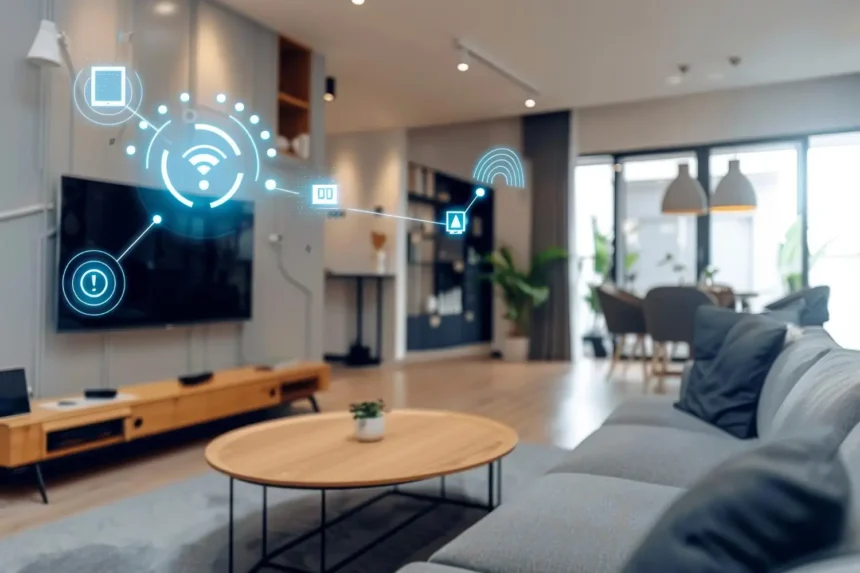
Building a smart home doesn’t mean filling every room with expensive gadgets. The best smart homes are often surprisingly simple: lights turn off when nobody needs them, heating adjusts automatically, doors can be checked remotely, and everyday routines require fewer manual steps.
- Start With Your Wi-Fi, Not Your Gadgets
- Pick Your Main Smart Home Ecosystem
- Don’t Buy Everything at Once
- Smart Sensors Are Where Things Get Interesting
- Smart Lighting: Bulbs or Switches?
- Add Security Carefully
- Build Automations Around Your Routine
- Don’t Forget What Happens When the Internet Goes Down
- How Much Does a Smart Home Cost?
- What Should You Buy First?
- A Smart Home Should Eventually Disappear Into the Background
If you’re starting from zero in 2026, compatibility matters more than the number of devices you own.
Start With Your Wi-Fi, Not Your Gadgets
Every smart home depends on its network.
Before buying cameras, speakers, plugs, or sensors, make sure you have reliable Wi-Fi throughout the areas where connected devices will operate.
A large house or one with significant coverage problems may benefit from a mesh Wi-Fi system.
Also keep your router’s firmware updated and protect the network with a strong password and modern security settings. Buying dozens of connected devices won’t create a good smart home if they constantly lose their connection.
Pick Your Main Smart Home Ecosystem
Your next decision is how you’ll control everything.
The major consumer ecosystems include Apple Home, Google Home, Amazon Alexa, and Samsung SmartThings.
You don’t necessarily need to buy every device from one manufacturer. What matters is making sure the products you choose can communicate with the ecosystem you want to use.
This is considerably easier today thanks to Matter.



Matter is an interoperability standard supported across much of the smart-home industry. Compatible devices can work across participating platforms, reducing some of the ecosystem lock-in that made older smart homes frustrating to build.
When shopping for new equipment, looking for Matter compatibility can therefore be worthwhile.
Don’t Buy Everything at Once
Start with one room or one problem.
For many people, smart lighting is the easiest introduction.
A smart bulb or switch can let you automate lights according to time, occupancy, or routines. Smart plugs can provide similar control over compatible conventional appliances.
Once you’ve lived with those devices for a while, you’ll understand what automation is genuinely useful to you.
Then you can expand.
A sensible progression might look like this:


Lighting → plugs → sensors → thermostat/heating → security → more advanced automation
There is no reason to follow that exact order. A person primarily interested in security might start with a video doorbell and cameras instead.
Smart Sensors Are Where Things Get Interesting
A smart bulb that you control from your phone is convenient.
A smart bulb that understands when it should turn itself on is automation.
Sensors can detect things such as:
- Motion
- Occupancy
- Temperature
- Humidity
- Doors opening
- Windows opening
- Water leaks
These small devices can become the triggers that make your home respond automatically.
For example, a hallway motion sensor could activate low-level lighting after sunset and switch it off again when nobody is there.
A water-leak sensor under a washing machine could alert you before a small leak becomes an expensive problem.
Those are the kinds of automations that make a smart home feel genuinely useful rather than gimmicky.
Smart Lighting: Bulbs or Switches?
Smart bulbs are easy to install and excellent for lamps, renters, and individual lights.
Smart switches can make more sense for permanent ceiling lighting because the physical wall switch continues behaving normally while adding smart control.
There’s one common annoyance with smart bulbs: if someone switches off their power at the wall, their smart features become unavailable.
For a whole-home installation, smart switches can therefore create a more natural experience—although electrical work should be performed safely and professionally where required.
Add Security Carefully
Smart security devices can include video doorbells, cameras, smart locks, door sensors, and alarms.
They’re useful, but they’re also among the most privacy-sensitive devices in a home.
Before buying a camera, investigate what happens to its recordings.
Consider whether footage is processed or stored locally or in the cloud, whether a subscription is required, how long recordings are retained, and what security protections are available.
Enable multi-factor authentication whenever the manufacturer supports it.
And think carefully about indoor cameras. Just because you can place an internet-connected camera in every room doesn’t mean you should.
Build Automations Around Your Routine
The most satisfying smart-home routines are usually boring.
That’s a compliment.
You might create a Good Night routine that turns off downstairs lights, lowers the temperature, and checks relevant devices.
A morning routine could gradually switch on bedroom lighting and adjust heating before you get up.
Leaving home might trigger unnecessary lights and appliances to turn off.
The goal isn’t to create the most technically impressive automation.
It’s to make something you previously had to remember happen automatically.
Don’t Forget What Happens When the Internet Goes Down
A genuinely good smart home shouldn’t become useless because your broadband connection disappears.
Where possible, favor devices and systems capable of local control for important functions.
You should still be able to turn on your lights manually. A smart lock should still provide a reliable way to enter your home. Heating shouldn’t depend entirely on a cloud service remaining online.
Smart technology should add functionality—not remove the basic controls that already worked.
How Much Does a Smart Home Cost?
There isn’t a meaningful single price because a “smart home” can mean anything from two connected bulbs to an entire property filled with automated lighting, climate control, security, blinds, sensors, and appliances.
Starting small is usually better.
Buy a few devices, learn how they behave in your home, and only expand when you discover a genuine reason to do so.
This also protects you from spending heavily on an ecosystem you later dislike.
What Should You Buy First?
If you’re starting completely from scratch, think in terms of problems rather than products.
Lights constantly left on? Start with lighting and occupancy sensors.
Worried about leaks? Buy water sensors.
Want better temperature control? Investigate compatible smart thermostats or heating controls.
Concerned about your front door? Consider a video doorbell or smart lock.
Want to automate existing appliances? Smart plugs may be enough.
You don’t need a refrigerator that talks to your television just because manufacturers can build one.
A Smart Home Should Eventually Disappear Into the Background
The ultimate test of a smart home isn’t how many apps you have installed.
In fact, needing to open six different apps every day is usually a sign that the system isn’t particularly smart.
The best setup quietly handles repetitive tasks while leaving straightforward manual controls available whenever you want them.
Start with reliable infrastructure. Choose compatible products. Use Matter where it makes sense. Add sensors and useful automations gradually.
And before buying any new smart-home gadget, ask one question:
What problem will this actually solve?
If you don’t have a good answer, you probably don’t need it.