







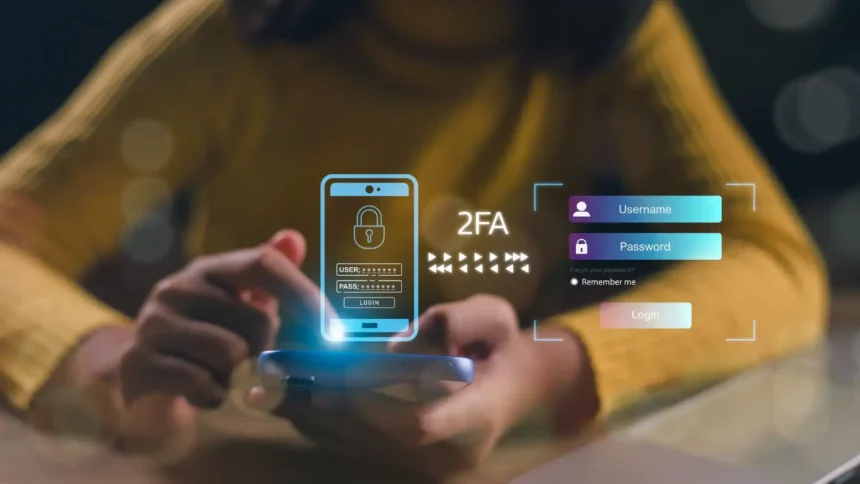
A strong password is important, but it has one fundamental weakness: if somebody steals it, they can potentially use it exactly as you do. Two-factor authentication, usually shortened to 2FA, is designed to prevent a stolen password from immediately becoming a stolen account.
- How Two-Factor Authentication Actually Works
- 2FA and MFA Aren’t Quite the Same Thing
- Why a Great Password Still Isn’t Enough
- The Different Types of 2FA Are Not Equally Secure
- SMS 2FA Is Useful, but It Isn’t the Best Option
- Authenticator Apps Remove Some SMS Weaknesses
- Passkeys Change the Login Process Completely
- Physical Security Keys Offer Extremely Strong Protection
- Your Fingerprint Isn’t Necessarily “The Second Factor”
- What Happens If You Lose Your Phone?
- Never Approve an Authentication Request You Didn’t Start
- Which Accounts Should You Protect First?
- What Should You Choose When a Website Gives You Several Options?
- Can Hackers Still Get Into an Account With 2FA?
- The Best 2FA Strategy in 2026
Instead of trusting a password alone, 2FA asks you to prove your identity in a second way. That extra check might come from an authenticator app, a trusted device, a security key, or another authentication method. Even if an attacker discovers your password through phishing or a data breach, they may still be unable to complete the login.
This isn’t a small security improvement. Microsoft’s research found that MFA reduced account-compromise risk by approximately 99.2% across the population it studied, including strong protection for accounts whose credentials had already leaked.
How Two-Factor Authentication Actually Works
Authentication methods are commonly divided into different types of evidence. Something you know could be a password or PIN, while something you have could be a smartphone or physical security key. Something you are refers to biometric characteristics, such as your fingerprint or face.
A traditional 2FA login combines different authentication steps. You might enter your password and then confirm the login through an authenticator app on your phone. An attacker who knows only the password is therefore missing another piece required to access the account.
This matters because passwords are stolen in many ways that have nothing to do with someone successfully guessing them. Credentials can appear in data breaches, be captured through phishing websites, be stolen by malware, or become useful to attackers because the same password was reused across multiple services.
Two-factor authentication is essentially an acknowledgment of that reality. Your password might eventually become compromised, so your account should not depend entirely on it remaining secret forever.
2FA and MFA Aren’t Quite the Same Thing
You’ll often see the terms two-factor authentication (2FA) and multi-factor authentication (MFA) used in similar contexts. They describe the same general security principle, although MFA is the broader term.
Two-factor authentication uses two authentication factors, while multi-factor authentication can use two or more. In practice, many consumer services use terminology such as “two-step verification,” “2FA,” and “MFA” somewhat differently, so the name shown in an account’s security settings isn’t always the most important part.
What matters is what the login process actually requires. A system that prevents a stolen password from being sufficient on its own gives you considerably stronger protection than password-only authentication.

Why a Great Password Still Isn’t Enough
Imagine you’ve created a long, random password using a password manager. Nobody is realistically going to sit at a keyboard and guess it, but that doesn’t mean the password cannot be stolen.
You could receive a convincing email claiming that unusual activity has been detected on your account. The message takes you to a website that looks almost identical to the real login page, and you enter your credentials without noticing the slightly different address.
Your incredibly strong password has now been compromised without anyone cracking it.
A data breach can produce the same result without you making any mistake at all. If a service is compromised and attackers obtain usable credentials, the strength of your password cannot undo the fact that somebody else now possesses it.
With properly configured 2FA, the password is only part of what an attacker needs. That is why security organizations continue to recommend multi-factor authentication so strongly, particularly for email, financial accounts, cloud services, administrative systems, and other valuable accounts.
The Different Types of 2FA Are Not Equally Secure
Turning on almost any reasonable form of 2FA is generally an improvement over relying exclusively on a password, but the security difference between authentication methods is important. In 2026, the best advice is no longer simply “enable 2FA”; it is enable the strongest practical authentication method the service supports.
| Authentication Method | Protection | Main Weakness |
|---|---|---|
| Passkey | Excellent | Recovery and device support vary |
| FIDO2 security key | Excellent | Physical key must be available |
| Authenticator app code | Strong | Code can still be phished |
| Authenticator push approval | Strong when carefully implemented | Users can approve fraudulent prompts |
| SMS code | Better than password alone | Phishing and SIM-related attacks |
| Email verification code | Better than password alone | Depends heavily on email account security |
| Password only | Limited | One stolen credential may be enough |
The strongest modern methods are designed not merely to add another step but to make phishing substantially harder. That distinction becomes important when attackers can create highly convincing login pages.
SMS 2FA Is Useful, but It Isn’t the Best Option
SMS authentication is probably the form of 2FA most people recognize. You enter your password, receive a temporary code by text message, and type the code into the website.


It is still much better than using only a password when stronger alternatives aren’t available. However, SMS introduces weaknesses that authenticator apps, passkeys, and physical security keys can avoid.
One concern is SIM swapping, in which an attacker attempts to take control of a victim’s telephone number. There are also risks involving telecommunications infrastructure, but the more everyday problem is much simpler: SMS codes can be phished.
Consider a fake banking website that asks for your username and password. The attacker immediately enters those credentials into the real bank website, causing the real service to send a legitimate verification code to your phone. The fake site then asks you to enter that code as well.
If you provide it quickly enough, the attacker may relay the code to the legitimate service.
The 2FA system worked technically. The attacker simply persuaded you to provide both authentication steps.
For this reason, current NIST guidance treats authentication using the public telephone network, including SMS-based one-time passwords, as a restricted authenticator type rather than the strongest available option.
Authenticator Apps Remove Some SMS Weaknesses
Authenticator apps usually generate temporary one-time codes directly on a trusted device. These codes commonly change after a short period, which means an attacker cannot keep a stolen code and reuse it indefinitely.
Because the authentication code isn’t delivered through the mobile telephone network, authenticator apps remove some of the risks specifically associated with SMS. Microsoft’s research has also found dedicated authenticator applications to perform better than SMS-based authentication in its account-security data.
However, a standard six-digit authenticator code is not automatically phishing-resistant. If a fake login page asks for the temporary code and the victim provides it, an attacker may attempt to relay that code to the real website before it expires.
Authenticator apps are therefore a strong and practical choice, especially when a service doesn’t offer newer methods, but they aren’t necessarily the final stage of account security.
Passkeys Change the Login Process Completely
Passkeys take a different approach because they can eliminate the conventional password rather than merely adding another step after it. Instead of remembering and entering a secret, you can authenticate using a trusted device and unlock the credential using a fingerprint, facial recognition, or device PIN.
Behind the scenes, passkeys use public-key cryptography. The private credential required for authentication isn’t something you manually type into websites, which removes one of the easiest ways phishing attacks steal credentials.
This also means passkeys can be both more secure and easier to use than traditional password-plus-code authentication. NIST has recognized correctly implemented syncable authenticators such as FIDO passkeys as phishing-resistant, while security guidance increasingly recommends moving important accounts toward phishing-resistant authentication.
Passkeys are not universally supported yet, and account recovery still needs careful consideration. Nevertheless, their adoption by major operating systems, browsers, and online services makes them increasingly practical for ordinary users rather than something reserved for security professionals.
Physical Security Keys Offer Extremely Strong Protection
A security key is a small physical authentication device that typically connects through USB, NFC, or another supported interface. Modern FIDO security keys use cryptographic authentication rather than asking you to manually copy a temporary code.
Their major advantage is phishing resistance. Authentication can be bound to the legitimate website, which means a convincing fake login page cannot simply collect a reusable six-digit code and relay it elsewhere.
Security keys are particularly attractive for accounts where compromise would have serious consequences. A journalist protecting sensitive communications, a business administrator controlling company systems, or someone managing valuable financial accounts may reasonably want stronger authentication than SMS.
For ordinary users, the inconvenience is relatively small once everything is configured. The more important issue is planning for what happens if the key is lost, which is why people protecting particularly valuable accounts sometimes register a second key and store it somewhere secure.
Your Fingerprint Isn’t Necessarily “The Second Factor”
Biometric authentication creates some confusion because people often assume that using Face ID or a fingerprint automatically means 2FA is active. That isn’t necessarily true, because the way biometrics participate in authentication depends on the system.
Your fingerprint might simply unlock a locally stored credential on your device rather than being independently transmitted to a website as a second authentication factor. Modern passkey systems, for example, can combine possession of a trusted device with local user verification in a way that doesn’t resemble the traditional “password first, six-digit code second” process.
The important question is therefore not how many screens you pass through during login. What matters is the underlying authentication design and whether stealing one reusable secret is enough to impersonate you.
What Happens If You Lose Your Phone?
This is one of the most reasonable concerns people have about enabling stronger authentication. If your phone generates your authentication codes and your phone disappears, how do you access your accounts?
The answer is to prepare before that happens.
Many services provide backup or recovery codes when you enable 2FA. These are emergency credentials intended to regain access if your normal authentication method becomes unavailable, and they should be stored somewhere secure and separate from the device they are protecting.
Some services also allow multiple trusted devices, alternative authentication methods, or secondary security keys. Modern password managers and authentication ecosystems may also provide secure synchronization options, although the exact recovery model differs between providers.
The important mistake to avoid is configuring a single second factor and assuming you will never lose access to it. Strong security should include a recovery plan.
Never Approve an Authentication Request You Didn’t Start
Not every attack attempts to steal your 2FA code. Some attackers try to convince you to approve their login instead.
Suppose somebody already knows your password and repeatedly attempts to sign into your account. Your phone begins displaying authentication requests asking whether you’re trying to log in, even though you’re sitting on the sofa watching television.
You deny the first request, but another arrives. Then another appears several minutes later, followed by several more.
The attacker may be attempting MFA fatigue, sometimes called push bombing. The objective is to overwhelm or confuse the victim until they eventually press “Approve,” perhaps assuming the notification is a harmless technical problem.
Unexpected authentication prompts should produce the opposite reaction. If you didn’t initiate the login, reject the request and investigate the account. Repeated prompts can indicate that somebody already possesses your password and is struggling to get past the additional authentication step.
Which Accounts Should You Protect First?
If you have dozens or hundreds of online accounts, you don’t need to spend an entire weekend enabling 2FA everywhere. Begin with the accounts that could cause the greatest damage if compromised.
Your primary email account should be near the top of the list because email frequently controls password recovery for other services. Someone who gains access to your inbox may be able to request password resets, intercept security notifications, impersonate you, or discover information about your other accounts.
Financial accounts deserve the same attention, along with your password manager, cloud storage, social media accounts, workplace services, and the main Apple, Google, or Microsoft account connected to your devices.
After those are protected, work through other important services gradually. The objective is to remove password-only authentication from the accounts that matter most.
What Should You Choose When a Website Gives You Several Options?
If a service offers a passkey or FIDO2 security key, that is usually an excellent choice because properly implemented FIDO authentication provides strong resistance to phishing. For important accounts, these methods should increasingly be preferred when practical.
If those options aren’t available, an authenticator app is generally a strong alternative. SMS authentication remains worthwhile when it is the best option offered, because an imperfect second factor is generally preferable to leaving an important account protected only by a password.
The mistake is allowing the search for perfect security to result in no additional security at all. CISA similarly emphasizes that phishing-resistant MFA is the strongest goal while recognizing that other forms of MFA still reduce risk compared with password-only authentication.
Can Hackers Still Get Into an Account With 2FA?
Yes. Two-factor authentication dramatically improves account security, but it does not make an account impossible to compromise.
Attackers may target account-recovery processes, steal active browser sessions, compromise devices with malware, manipulate customer-support personnel, or exploit vulnerabilities that don’t require them to perform the normal login process. Some forms of 2FA can also be phished or defeated through social engineering, as we’ve already seen.
That doesn’t make 2FA ineffective. A seat belt doesn’t prevent every possible injury either, but that would be a strange reason not to wear one.
Security works through layers. Strong authentication removes or significantly complicates one of the easiest routes into an account: using a stolen password.
The Best 2FA Strategy in 2026
You don’t need to become a cybersecurity expert to make a meaningful improvement. Start by protecting your email, financial accounts, password manager, cloud storage, social media, and important work accounts, then gradually expand from there.
Choose phishing-resistant options such as passkeys or FIDO security keys where they’re available. Use an authenticator app when they aren’t, and don’t reject SMS simply because stronger methods exist if SMS is the only additional protection a particular service provides.
Save your recovery codes somewhere secure, keep backup authentication methods where appropriate, and never approve a login request you didn’t initiate. Those habits transform 2FA from a feature you merely switched on into an authentication system you actually understand.
A strong password is still useful, but in 2026, an important account shouldn’t have to depend entirely on one secret remaining secret forever. Two-factor authentication gives you another line of defense for the day that password protection fails.