





RAM is one of those computer specifications where bigger numbers automatically sound better. A laptop with 32GB must be better than one with 16GB, and a desktop with 64GB must be twice as good again.
- The Quick Answer: RAM Recommendations for 2026
- What Does RAM Actually Do?
- Is 8GB of RAM Still Enough in 2026?
- 16GB Is the Real Mainstream Starting Point
- 32GB Is the 2026 Sweet Spot for Power Users
- How Much RAM Do You Need for Gaming?
- How Much RAM Do You Need for Video Editing?
- How Much RAM Do You Need for Photo Editing?
- Programmers: 16GB Can Become 32GB Surprisingly Quickly
- Virtual Machines Can Consume RAM Extremely Quickly
- Local AI Changes the RAM Conversation
- Mac RAM Is Different: Understanding Unified Memory
- 16GB Unified Memory Isn’t Directly Equivalent to Every 16GB PC
- Should You Buy 64GB?
- What About 128GB or More?
- More RAM or Faster RAM?
- Don’t Forget Upgradeability
- The Best RAM Choice for Each Buyer in 2026
- So, How Much RAM Should You Buy?
That’s not really how memory works.
Having too little RAM can seriously hurt performance, but installing substantially more than your applications can use usually doesn’t make the computer noticeably faster. A person browsing the web and writing documents isn’t going to transform their PC by jumping from 32GB to 128GB.
In 2026, the useful dividing line has moved upward. Microsoft’s official Windows 11 minimum is still only 4GB, but that figure should be understood as an installation requirement rather than a sensible recommendation for a new everyday computer. Current professional applications can require far more: Adobe recommends 16GB for HD Premiere workflows and 32GB or more for 4K video.

For most buyers, the practical answer is therefore straightforward: 8GB is now a compromise, 16GB is the sensible baseline, 32GB is the sweet spot for demanding users, and 64GB+ belongs to workloads that can actually use it.
The Quick Answer: RAM Recommendations for 2026
| What You Do | Minimum I’d Consider | Recommended | Heavy/Professional |
|---|---|---|---|
| Email, browsing, streaming | 8GB | 16GB | 32GB |
| Office work | 8GB | 16GB | 32GB |
| Student laptop | 8GB | 16GB | 32GB |
| Heavy browser multitasking | 16GB | 32GB | 64GB |
| Gaming | 16GB | 32GB | 64GB |
| Photo editing | 16GB | 32GB | 64GB+ |
| 1080p video editing | 16GB | 32GB | 64GB |
| 4K video editing | 32GB | 32–64GB | 64GB+ |
| Programming | 16GB | 32GB | 64GB+ |
| Virtual machines | 32GB | 64GB | 128GB+ |
| 3D / large creative projects | 32GB | 64GB | 128GB+ |
| Local AI workloads | 32GB | 32–64GB+ | 64–128GB+ |
These aren’t hard requirements. Two people running the same operating system can need radically different amounts of memory depending on their software, file sizes, multitasking habits, GPU, and whether their computer uses shared or unified memory.
What Does RAM Actually Do?
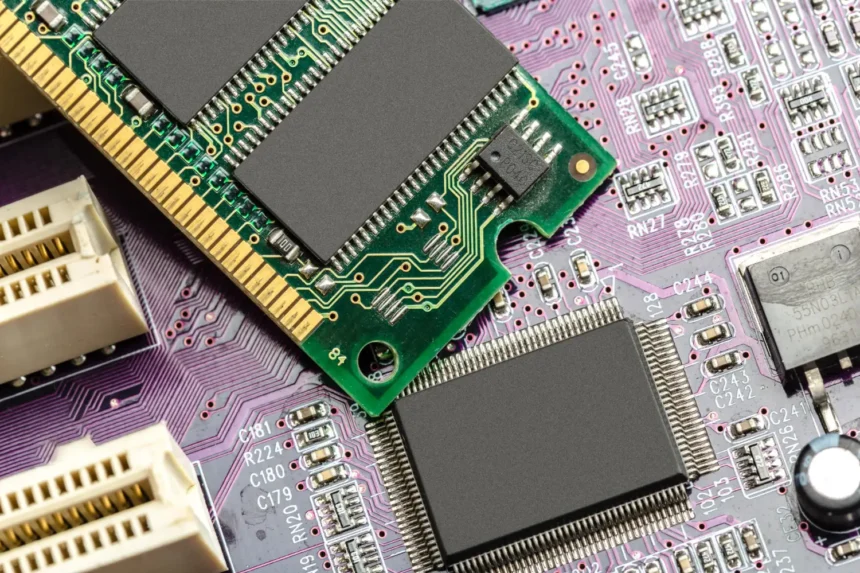
RAM—Random Access Memory—is your computer’s fast working area. When you open a browser, game, photograph, spreadsheet, video-editing project, or another application, the computer keeps actively needed information in memory so the processor can access it quickly.
RAM isn’t the same as storage. Your SSD keeps files even when the computer is switched off, while RAM primarily holds information the computer is actively working with.
When physical memory begins filling up, modern operating systems can move less immediately needed information to storage using mechanisms such as paging or swap. Because even a fast SSD operates differently from RAM, excessive reliance on storage can make a computer feel less responsive.
This is why insufficient RAM often produces familiar symptoms: applications reload when you return to them, browser tabs refresh, switching between programs becomes sluggish, large projects stutter, and the system can become increasingly dependent on its SSD.



Adding RAM helps dramatically when insufficient memory is actually the bottleneck. Once you have enough, however, adding another 64GB won’t magically double your frame rate or make Word open twice as fast.
Is 8GB of RAM Still Enough in 2026?
Yes—but the definition of “enough” matters.
A computer with 8GB can still browse the web, stream video, work with documents, attend video calls, and perform plenty of everyday tasks. Windows 11 officially requires only 4GB, so 8GB is certainly capable of running the operating system.
The problem appears when those activities start happening simultaneously.
A typical work session might include a browser with numerous tabs, Spotify, Slack or Teams, a video call, a PDF, several Office documents, cloud synchronization, antivirus software, and background utilities. Eight gigabytes leaves considerably less breathing room for that kind of workload.
8GB RAM in 2026
| Use | Experience |
|---|---|
| Basic web browsing | Good |
| Email and documents | Good |
| Netflix/YouTube | Good |
| Several browser tabs | Good |
| Dozens of heavy tabs | Limited |
| Video calls + multitasking | Usable, but tighter |
| Modern gaming | Increasingly restrictive |
| Photoshop/light creative work | Limited |
| 4K video editing | Poor choice |
| Virtual machines | Poor choice |
| Local AI models | Generally inadequate |
The most important question is whether the memory can be upgraded later. Eight gigabytes in an inexpensive upgradeable desktop is much less concerning than 8GB permanently soldered into a laptop you intend to keep until 2031.
For a new general-purpose computer purchased in 2026, I would normally avoid 8GB unless budget is the overriding consideration or the device has a lightweight, clearly defined purpose.
16GB Is the Real Mainstream Starting Point
For everyday users, students, office workers, and less demanding gamers, 16GB remains a very sensible amount of memory.


It gives modern operating systems enough room for normal background activity while leaving considerably more capacity for applications. You can comfortably combine web browsing, productivity software, streaming, communication applications, and moderate creative workloads without constantly thinking about RAM.
The fact that Apple’s current 2026 M5 MacBook Air starts with 16GB of unified memory is also indicative of where mainstream premium computing has moved. Apple offers configurations up to 24GB and 32GB on the current Air.
For someone buying a laptop primarily for university, office work, browsing, streaming, Zoom calls, and occasional photo editing, 16GB can still be completely reasonable.
Who Should Buy 16GB?
| User | Is 16GB Enough? | Recommendation |
|---|---|---|
| Casual home user | Yes | Excellent |
| University student | Yes | Excellent |
| Office worker | Yes | Excellent |
| Remote worker | Usually | Very good |
| Casual gamer | Usually | Good |
| Competitive/esports gamer | Usually | Good |
| Hobby photographer | Usually | Good |
| 1080p video editor | Often | Acceptable |
| Software developer | Depends | Consider 32GB |
| Heavy multitasker | Can be tight | Prefer 32GB |
The important phrase is “for what you do now.” If you’re buying a non-upgradeable laptop that you expect to keep for six or seven years, paying for more memory today may make more sense than replacing the entire computer later.
32GB Is the 2026 Sweet Spot for Power Users
This is where the recommendation changes noticeably compared with older buying guides.
Thirty-two gigabytes is no longer an exotic workstation specification. For gaming PCs, professional laptops, development machines, and enthusiast desktops, it has become a highly practical configuration.
Independent 2026 testing by TechSpot across modern games found that most games can still perform well with 16GB under appropriate conditions, but concluded that 32GB is the gaming sweet spot, providing enough capacity across current titles with better headroom for the future.
That headroom becomes useful because people rarely run games in complete isolation. Your gaming PC might simultaneously have Discord, a browser, RGB utilities, Steam, recording software, launchers, streaming tools, and other applications running.
Thirty-two gigabytes also makes sense if you regularly move between large applications. A photographer could keep Lightroom, Photoshop, dozens of browser tabs, and other productivity tools open without aggressively managing everything else.
16GB vs 32GB in 2026
| Scenario | 16GB | 32GB |
|---|---|---|
| Everyday computing | Excellent | More than enough |
| Heavy Chrome/Edge use | Good | Excellent |
| Office multitasking | Excellent | Excellent |
| Modern gaming | Good | Excellent |
| Gaming + Discord + browser | Good | Excellent |
| Game streaming/recording | Usable | Better choice |
| Photoshop/Lightroom | Good | Better choice |
| 4K video editing | Limited depending on project | Recommended starting point |
| Programming | Good | Excellent |
| Containers/VMs | Limited | Much better |
| Future-proofing | Good | Excellent |
For someone building a midrange or high-end gaming desktop in 2026, 32GB is the configuration I would target unless the budget strongly favors 16GB.
How Much RAM Do You Need for Gaming?
Gaming deserves its own answer because memory requirements depend on more than the game itself.
Modern games need system RAM, but your graphics card also has dedicated video memory—VRAM. When a GPU runs short of VRAM, system memory can become more important, and overall performance behavior can change considerably.
TechSpot’s 2026 tests across games including Battlefield 6, Borderlands 4, Black Myth: Wukong, Cyberpunk 2077, Doom: The Dark Ages, and Kingdom Come: Deliverance II found that 16GB remains viable for many games, particularly when VRAM isn’t exhausted. Nevertheless, 32GB provided the more robust overall configuration and was recommended as the sweet spot.
Gaming RAM Recommendations
| Gaming Setup | RAM I’d Choose |
|---|---|
| Budget esports PC | 16GB |
| Mainstream gaming PC | 32GB |
| High-end gaming PC | 32GB |
| Gaming + streaming | 32GB |
| Gaming + heavy background apps | 32GB |
| Gaming + content creation | 32–64GB |
| Gaming only with 64GB | Usually unnecessary |
This is an important example of where 64GB doesn’t automatically improve performance. If a game and everything running alongside it consume comfortably below 32GB, the remaining memory simply sits available.
Put the extra money toward a faster GPU, CPU, or SSD before buying 64GB solely because the number looks impressive.
How Much RAM Do You Need for Video Editing?
Creative workloads are where higher capacities become much easier to justify.
Adobe’s current 2026 Premiere specifications recommend 16GB for HD media and 32GB or more for 4K and higher-resolution media on Windows. Adobe’s broader 2026 hardware recommendations similarly recommend 32GB or more for Windows and Intel-based Mac systems used for Premiere.
Real projects can demand more depending on codec, resolution, effects, timelines, multicamera work, Dynamic Link, After Effects, and how many creative applications are running simultaneously.
Video Editing RAM in 2026
| Workload | 16GB | 32GB | 64GB | 128GB |
|---|---|---|---|---|
| Basic 1080p | Good | Excellent | Excessive | Excessive |
| Heavy 1080p | Usable | Excellent | Excellent | Usually excessive |
| Basic 4K | Tight | Good | Excellent | Usually excessive |
| Complex 4K | Limited | Good | Excellent | Useful in extreme projects |
| 6K/8K | Poor choice | Limited | Recommended territory | Potentially useful |
| After Effects-heavy workflow | Limited | Good | Excellent | Useful professionally |
If video editing is how you earn money, additional memory can be worth far more than it is to an ordinary home user because time saved waiting, caching, previewing, and switching between applications has actual economic value.
How Much RAM Do You Need for Photo Editing?
Photography generally requires less memory than demanding video production, but enormous RAW files, panoramas, layers, masks, AI features, and large catalogs can increase requirements quickly.
A hobbyist editing normal RAW photographs can be comfortable with 16GB. Someone working professionally between Lightroom, Photoshop, a browser, cloud-storage software, and other applications will appreciate 32GB considerably more.
Large composite images and extremely high-resolution professional work can justify 64GB.
Photo Editing Recommendation
| Type of Photographer | Recommended RAM |
|---|---|
| Casual JPEG editing | 16GB |
| Hobby RAW photographer | 16–32GB |
| Serious Lightroom user | 32GB |
| Lightroom + Photoshop professional | 32–64GB |
| Huge panoramas/composites | 64GB+ |
The key is to size memory around the largest projects you regularly work with, not an unrealistic project you might theoretically open once.
Programmers: 16GB Can Become 32GB Surprisingly Quickly
Programming requirements vary enormously.
Someone learning Python and running Visual Studio Code doesn’t need 64GB. A developer running multiple containers, local databases, several IDEs, browser debugging tools, emulators, and virtual machines absolutely can benefit from additional memory.
Development environments are particularly good at turning individually reasonable applications into one enormous combined workload.
RAM for Development
| Development Work | Recommended RAM |
|---|---|
| Learning programming | 16GB |
| Web development | 16–32GB |
| Professional software development | 32GB |
| Mobile development + emulators | 32GB |
| Docker/container-heavy development | 32–64GB |
| Multiple virtual machines | 64GB+ |
| Large enterprise projects | 64GB+ |
If your development work involves virtualization, RAM can become the limiting factor long before CPU performance does.
Virtual Machines Can Consume RAM Extremely Quickly
Virtualization is one of the easiest workloads for recommending 64GB without hesitation.
Suppose your main operating system needs comfortable memory for itself and your applications, while you simultaneously allocate 8GB to one virtual machine and 16GB to another. Your available physical memory disappears quickly.
Someone testing multiple operating systems, running cybersecurity labs, maintaining server environments, or building complicated development infrastructure may genuinely need 64GB, 96GB, 128GB, or more.
For ordinary consumers, those capacities are excessive. For virtualization professionals, they can be completely rational.
Local AI Changes the RAM Conversation
AI is introducing another reason high-memory computers are becoming more interesting.
Cloud AI services perform most computation on remote infrastructure, so chatting with an online AI assistant doesn’t mean your laptop suddenly needs 64GB of RAM.
Local AI is different.
Running large language models, image-generation models, speech systems, and other AI workloads directly on a computer can require substantial memory. The exact requirement depends heavily on model size, quantization, GPU VRAM, architecture, and whether the system uses conventional RAM or unified memory.
This is one reason high-memory configurations are becoming more attractive to developers and AI enthusiasts. Current 2026 consumer guidance from PC manufacturers increasingly places local AI workloads in the 32GB-and-above category.
Local AI RAM Guide
| AI Usage | Practical Memory Target |
|---|---|
| Cloud AI only | 16GB is fine |
| Basic local AI experiments | 16–32GB |
| Regular local AI use | 32GB |
| Larger local models | 64GB+ |
| Serious AI development | 64–128GB+ |
| Professional large-model workloads | Workstation/server territory |
Unlike gaming, there is no universal “AI needs X GB” answer because model requirements vary enormously.
Mac RAM Is Different: Understanding Unified Memory
Mac comparisons need additional context because Apple Silicon uses unified memory.
Rather than treating CPU system memory and GPU memory as completely separate pools in the conventional PC architecture, Apple Silicon provides a shared high-bandwidth memory architecture accessible across the chip.
This can be highly efficient, particularly for creative and AI workloads, but it creates an important buying consideration: you generally cannot upgrade that memory later.
Apple’s 2026 M5 MacBook Air, for example, starts at 16GB unified memory and can be configured with 24GB or 32GB depending on configuration.
If you’re choosing between 16GB and 24GB/32GB on a Mac you intend to keep for many years, think carefully about future workloads before buying. You cannot simply order two memory sticks later and install them yourself.
16GB Unified Memory Isn’t Directly Equivalent to Every 16GB PC
Avoid simplistic statements such as “16GB Mac RAM equals 32GB Windows RAM.” There is no universal conversion ratio.
Unified memory can be used very efficiently because CPU and GPU workloads share the same pool and don’t always need to duplicate data between separate memory areas. However, that same shared design also means the GPU can consume part of the unified memory that would otherwise be available to applications.
Performance therefore depends on the workload, chip, memory bandwidth, software optimization, and memory pressure—not a magical multiplication formula.
Compare computers using real performance in the applications you use, rather than attempting to convert Mac memory into an imaginary Windows equivalent.
Should You Buy 64GB?
For the majority of consumers, no.
For the right user, absolutely.
Sixty-four gigabytes makes sense when you regularly perform workloads that can consume 32GB or more: complex video production, large Photoshop projects, 3D rendering, engineering applications, extensive virtualization, software development with many containers, professional music production, scientific workloads, or local AI.
32GB vs 64GB
| Workload | 32GB | 64GB |
|---|---|---|
| Browsing | Massive headroom | Unnecessary |
| Office | Massive headroom | Unnecessary |
| Gaming | Sweet spot | Usually unnecessary |
| Streaming games | Excellent | Usually unnecessary |
| Photo editing | Excellent | Useful for huge projects |
| 4K editing | Good/Excellent | Excellent |
| 8K editing | Limited depending on workflow | Much better |
| Programming | Excellent | Useful for heavy workloads |
| Virtual machines | Good | Excellent |
| Local AI | Good starting point | Much more flexible |
| 3D/pro workflows | Good | Often worthwhile |
If you cannot describe a workload that needs 64GB, you probably don’t need 64GB.
What About 128GB or More?
At this point, we’re firmly outside normal consumer computing.
High-end workstations can use enormous amounts of memory for simulation, scientific computing, professional 3D scenes, large datasets, multiple virtual machines, high-resolution production pipelines, and serious AI development.
The people who genuinely need 128GB usually know why they need it because they’ve already encountered memory limitations.
Buying 128GB for Chrome, Microsoft Office, Netflix, and occasional gaming isn’t future-proofing. It’s paying for memory that may remain largely unused for the lifetime of the machine.
More RAM or Faster RAM?
Capacity should usually come first.
A computer with 32GB of slightly slower memory can be substantially more useful for a memory-heavy workload than one with 16GB of extremely fast RAM that constantly runs out of capacity.
Once you have enough capacity, memory speed, latency, channels, timings, and platform compatibility become more relevant—particularly for gaming PCs and systems using integrated graphics.
For desktop builders, also check your motherboard and CPU memory support before buying a kit. DDR4 and DDR5 are physically different standards and aren’t interchangeable.
Don’t Forget Upgradeability
This may be more important than choosing between 16GB and 32GB.
Many thin laptops now use soldered memory that cannot be upgraded. Some desktops and larger laptops still provide replaceable memory modules, making future upgrades relatively straightforward.
Before buying, ask:
Is the RAM soldered?
Are there free memory slots?
What is the maximum supported capacity?
Does upgrading it affect warranty conditions in my region?
If you’re buying an upgradeable desktop, starting with 16GB and moving to 32GB later can be perfectly reasonable. If you’re buying a sealed laptop with non-upgradeable memory, the decision you make today may be permanent.
The Best RAM Choice for Each Buyer in 2026
| Buyer | Buy This Much |
|---|---|
| Cheapest basic PC | 8GB minimum |
| Normal home user | 16GB |
| Student | 16GB |
| Office worker | 16GB |
| Heavy multitasker | 32GB |
| Mainstream gamer | 32GB |
| High-end gamer | 32GB |
| Photographer | 32GB |
| 4K video creator | 32–64GB |
| Professional developer | 32–64GB |
| Virtualization user | 64GB+ |
| Local AI enthusiast | 32–64GB+ |
| Professional 3D/8K/AI user | 64–128GB+ |
So, How Much RAM Should You Buy?
For a new computer in 2026, 16GB is the amount I’d consider the practical mainstream baseline. It remains enough for everyday computing, school, office work, entertainment, and many moderately demanding tasks.
If you’re building a gaming PC, buying a performance laptop, doing serious creative work, programming professionally, keeping huge numbers of browser tabs and applications open, or simply want comfortable headroom for the next several years, 32GB is the better target. Current gaming testing supports 32GB as the sweet spot, while professional applications such as Adobe Premiere already recommend it for demanding 4K workflows.
Sixty-four gigabytes becomes worthwhile when your work can actually consume it. Video production, virtualization, 3D work, large creative projects, heavy development, and local AI are legitimate reasons; browsing Facebook isn’t.
And 8GB? It isn’t suddenly unusable. Plenty of computers will continue running perfectly useful workloads with it.
But if you’re spending serious money on a new computer that you expect to use for the next five or six years—especially one with non-upgradeable memory—16GB should usually be the floor, while 32GB is increasingly the configuration you buy when you don’t want RAM to become the problem later.