





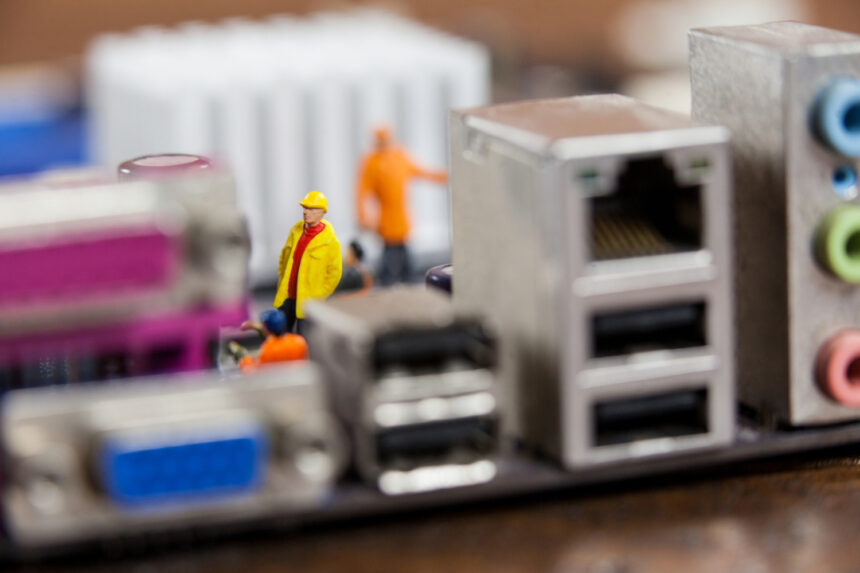
Computer ports are the physical connectors that allow a computer to communicate with external devices. Whether you’re connecting a monitor, transferring files, charging a laptop, or accessing the internet, each port is designed for a specific purpose. Understanding the different types of computer ports can help you choose compatible devices, troubleshoot connection issues, and get the most out of your computer.
While some older ports are becoming less common, modern computers often include a combination of traditional and high-speed connectors to support a wide range of accessories.
USB Ports
Universal Serial Bus (USB) ports are the most widely used computer ports today. They connect devices such as keyboards, mice, printers, external hard drives, webcams, and smartphones.
Common USB versions include:
- USB-A
- USB-B
- Mini USB
- Micro USB
- USB-C
USB-C has become the preferred standard on many modern laptops because it supports fast data transfer, charging, and video output through a single connector.
HDMI Ports
High-Definition Multimedia Interface (HDMI) ports transmit both digital video and audio through a single cable.
They are commonly used to connect:
- Monitors
- Televisions
- Projectors
- Gaming consoles
HDMI supports high-resolution displays, including Full HD, 4K, and even 8K on compatible hardware.
DisplayPort
DisplayPort is another popular video connection found on many desktop computers and professional monitors.
Compared to older display standards, DisplayPort offers high refresh rates, excellent image quality, and support for multiple monitors using compatible hardware. It is especially popular among gamers, video editors, and graphic designers.



Ethernet Port
An Ethernet port allows a computer to connect directly to a wired network using an Ethernet cable.
Although Wi-Fi is widely available, wired connections remain popular because they provide:
- Faster speeds
- Lower latency
- More reliable connections
- Better performance for gaming
- Stable video conferencing
Many business desktops still include Ethernet ports as a standard feature.
Audio Ports
Audio ports are used to connect headphones, microphones, speakers, and audio equipment.
The most common is the 3.5 mm audio jack, although some computers also include separate microphone and headphone inputs or digital audio connections.
Many modern laptops combine audio input and output into a single headset jack.
SD Card Reader
An SD card slot allows users to read memory cards commonly found in digital cameras, drones, and other portable devices.
Instead of using an external card reader, photographers and content creators can quickly transfer photos and videos directly to their computer using the built-in slot.

Thunderbolt Ports
Thunderbolt ports use the USB-C connector but offer significantly higher performance.
They support:
- High-speed data transfer
- External displays
- Docking stations
- External storage devices
- Laptop charging
Because of their speed and versatility, Thunderbolt ports are popular among professionals who work with large files, high-resolution video, and multiple displays.
Legacy Computer Ports
Although less common today, many older computers still include legacy ports.
Examples include:
- VGA
- DVI
- PS/2
- Serial (COM)
- Parallel (LPT)
These ports were once standard for connecting monitors, keyboards, mice, printers, and industrial equipment. While newer devices have largely replaced them with USB and HDMI, they are still found in some business and specialized environments.
Choosing the Right Port for Your Needs
Knowing the purpose of each computer port makes it easier to connect the right devices and avoid compatibility issues. USB ports handle everyday peripherals, HDMI and DisplayPort provide high-quality video output, Ethernet delivers reliable internet access, while Thunderbolt offers exceptional speed for demanding tasks. As computer technology continues to evolve, understanding these connections ensures you can make informed decisions when purchasing accessories, upgrading hardware, or troubleshooting connectivity problems.