







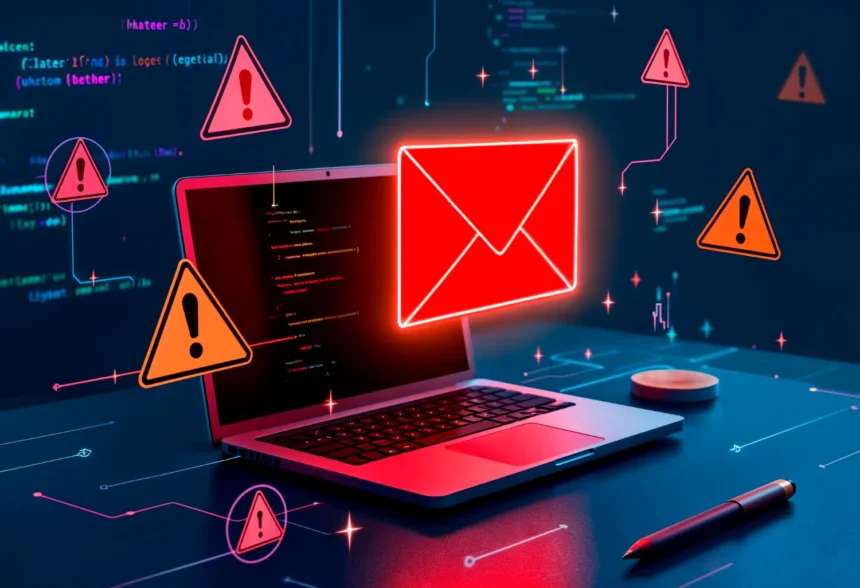
A phishing email doesn’t always look like an obvious scam anymore. In 2026, attackers can produce polished messages with convincing language, realistic branding, and AI-generated text in seconds.
- Urgency Is One of the Biggest Warning Signs
- Look Beyond the Display Name
- Be Suspicious When the Request Is Unusual
- AI Has Made Grammar a Much Weaker Clue
- Don’t Trust a Link Just Because the Email Looks Real
- Watch for Unexpected Attachments
- Phishing Isn’t Limited to Email
- If You’re Unsure, Don’t Interact With the Message
- What If You’ve Already Clicked?
- The Habit That Stops Many Phishing Attacks
The most reliable defense isn’t looking for bad grammar. It’s recognizing when an email is trying to make you act before you think.
Urgency Is One of the Biggest Warning Signs
Many phishing attacks create an artificial crisis:
“Your account will be suspended today.”
“Payment failed. Update your details immediately.”
“Unusual activity detected.”
“Your package cannot be delivered.”
These situations are deliberately designed to trigger anxiety or curiosity.
A legitimate company can certainly send urgent messages, so urgency alone doesn’t prove an email is fraudulent. But when an unexpected warning is combined with a request to click a link, enter credentials, send money, or download something, become suspicious.
Instead of following the email’s instructions, open the company’s website or app independently and check your account there.

Look Beyond the Display Name
Seeing “Microsoft,” “Your Bank,” or even your manager’s name in the sender field doesn’t establish who actually sent the message.
Display names can be misleading.
Examine the complete sender address. Attackers frequently use domains that resemble legitimate ones through extra words, substituted characters, or subtle misspellings.
The same caution applies even when an email appears to come from someone you know. Compromised accounts can be used to send convincing phishing messages to existing contacts.
Be Suspicious When the Request Is Unusual
Context can expose a phishing attempt faster than appearance.
Imagine receiving a perfectly written email that appears to come from your CEO asking you to purchase gift cards immediately.
The logo might be correct. The language might sound professional. There may be no spelling mistakes at all.
But ask yourself:

Would this person normally ask me to do this?
Be especially cautious about unexpected requests involving:
- Passwords or verification codes
- Bank transfers
- Gift cards
- Changes to payment details
- Sensitive company documents
- Login pages
- Unexpected attachments
A five-minute verification through another communication channel can prevent a costly mistake.
AI Has Made Grammar a Much Weaker Clue
For years, people were told that spelling mistakes and strange grammar were obvious signs of phishing.
They’re still worth noticing, but they’re no longer a dependable test.
Generative AI can help attackers create fluent, professional-looking messages and adapt them to different languages or audiences.
Modern phishing detection therefore requires more attention to behavior and context.
What does the sender want you to do? Why? Were you expecting this message? Is the request normal?
Those questions matter more than perfect punctuation.
Don’t Trust a Link Just Because the Email Looks Real
A phishing email may reproduce the colors, logos, formatting, and language of a legitimate organization remarkably well.
The button saying “Verify Account” could still lead somewhere completely different.
On devices that allow it, inspect the destination before opening suspicious links. But an even safer habit for sensitive accounts is to avoid the email link altogether.
If your bank supposedly needs your attention, open its official app yourself.
If an online store claims there’s an order problem, visit the store independently.
If a workplace account supposedly requires verification, access the service through your normal route.
This simple habit removes much of the attacker’s advantage.
Watch for Unexpected Attachments
Not every malicious email tries to steal your password.
Some attempt to convince you to open a dangerous attachment.
An unexpected invoice, résumé, shipping document, spreadsheet, archive, or other file deserves caution—particularly when the sender is unknown or the surrounding message feels unusual.
Even if the sender appears familiar, confirm unexpected files when the consequences of opening them could be significant.
Phishing Isn’t Limited to Email
The same manipulation techniques now appear across:
- Text messages
- Social media
- Messaging apps
- QR codes
- Phone calls
- Fake support conversations
The delivery method changes, but the psychological strategy is often similar: create trust or urgency, then convince you to reveal information or perform an action.
That’s why learning the underlying pattern is more useful than memorizing what a “scam email” looks like.
If You’re Unsure, Don’t Interact With the Message
You don’t need to prove an email is fake before treating it cautiously.
If something feels wrong, stop interacting with it and verify the request independently.
Contact the person through a known phone number or existing conversation. Visit the company’s service directly. Ask your IT department if it’s a workplace message.
The few extra minutes are worth it.
What If You’ve Already Clicked?
Clicking a suspicious link doesn’t automatically mean your account has been compromised.
If you entered a password, however, change it immediately through the legitimate service. If that password was reused elsewhere, change those accounts too.
Enable multi-factor authentication if it isn’t already active and review the account for unfamiliar logins, messages, transactions, or security changes.
If payment information or money was involved, contact the relevant financial institution promptly.
For workplace accounts, report the incident to your IT or security team rather than attempting to hide the mistake. Fast reporting can help contain an attack before it spreads.
The Habit That Stops Many Phishing Attacks
Phishing succeeds when the attacker controls both the message and your next action.
Break that chain.
When an unexpected email asks you to log in, pay, download, verify, or reveal something important, don’t immediately follow the path provided inside the message.
Verify it independently first.
That habit remains valuable even as phishing emails become increasingly convincing.